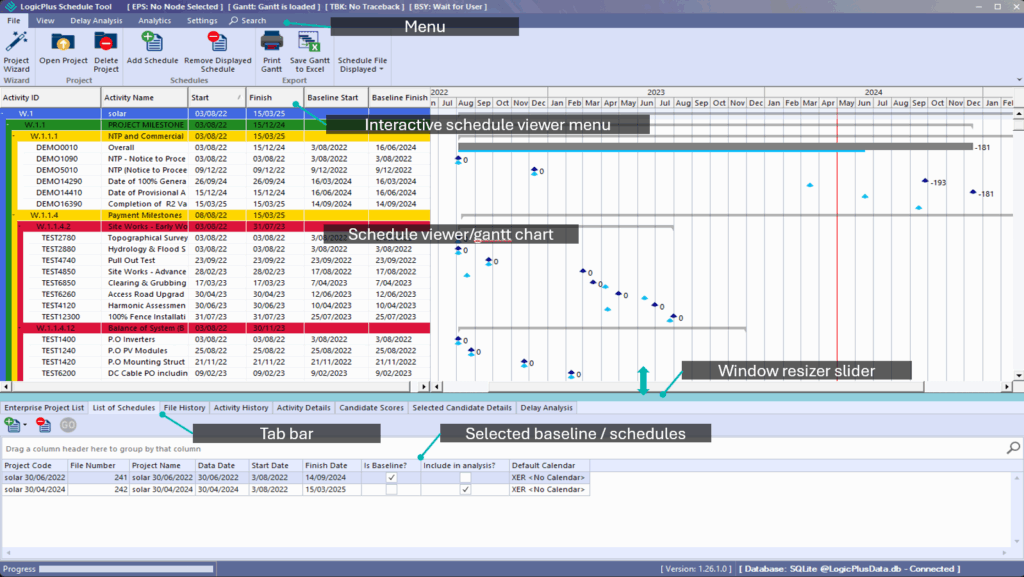
Logic+ equips commercial managers, project planners, project managers, and delay analysts with advanced tools to efficiently view, analyze, and extract insights from schedule files. It supports multiple project file formats—including Oracle Primavera P6, Asta Powerproject, and Microsoft Project—streamlining the process of loading and analyzing schedules.
Widely adopted across industries, Logic+ delivers critical insights into extension of time claims, prolongation analysis, critical path identification, and delay forecasting.
By leveraging advanced logic, Logic+ enables rapid access to detailed schedule data, including dates, resources, links, categorizations, and 28 additional attributes.
Benefits:
- Accurate and reliable critical path mapping
- Faster analysis of schedule updates
- Enhanced visibility into gaps, delays, milestones, and baseline changes
- Improved planning, foresight, and oversight
- Transparent audit trail and unbiased delay analysis to support dispute resolution
- Advanced features for handling multiple project datasets and delay scenarios
Logic+ Overview Video #
Logic+ Modules #
Schedule Manager
Manage all schedules via the Enterprise Project List, List of Schedules, and Project Wizard. These tools help organize project files and folders, enabling seamless uploads and access. Easily open files from Oracle Primavera P6, Asta Powerproject, and Microsoft Project within a unified project environment.
Schedule Viewer
Visualize and analyze schedule files in detail. The viewer presents complete activity data and highlights schedule changes for clearer understanding and communication.
Analytics
Access a comprehensive suite of reports that track project evolution and surface actionable insights. Features include concurrent activity bow wave, float and progress trends, variance lookback, and forecast accuracy analysis.
Delay Analysis
Identify the critical path through completed/as-built activities, pinpoint delay origins, and visualize the cumulative buildup of delay over time.
Navigation terminology #
The below outlines the terminology used throughout the Logic+ user documentation and guides: